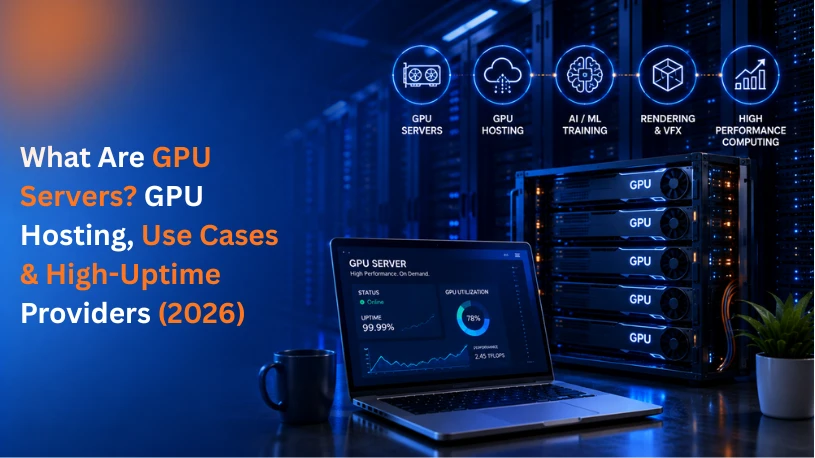
If you've been researching infrastructure for AI, machine learning, or rendering-heavy workloads, you've probably run into the term GPU server more than once. Put simply, it's a server built around one or more Graphics Processing Units instead of relying only on a traditional CPU. That extra hardware changes what the machine is good at: instead of handling tasks one after another, it can run thousands of calculations in parallel, which is exactly what AI training, rendering, and simulation workloads need. This kind of capability is now widely available as a hosted service, so businesses don't have to buy and maintain the hardware themselves.
This guide covers what these servers are, how they differ from a standard CPU setup, the most common use cases, and since uptime matters as much as raw compute for production AI workloads how to evaluate providers on reliability, including where Datanet's GPU server hosting fits in.
A regular CPU-based server handles tasks one after another, a few at a time, which works fine for websites, databases, and general business applications. But workloads like training a neural network, rendering 3D graphics, or running large-scale simulations need thousands of calculations happening at once. That's where GPUs come in, and it's why GPU servers have become core infrastructure for AI companies, research teams, and creative studios rather than a niche product.
Here's a practical breakdown of what GPU servers actually are, how they differ from standard servers, what they're used for, and how to figure out if you need one.
|
Aspect |
CPU Server |
GPU Server |
|
Core Design |
Few powerful cores (4-64) built for sequential tasks |
Thousands of smaller cores built for parallel tasks |
|
Best For |
Web hosting, databases, general applications |
AI/ML training, rendering, HPC, simulations |
|
Processing Style |
Handles complex tasks one after another |
Handles thousands of simple calculations simultaneously |
|
Typical Workloads |
Business apps, email, ERP, websites |
Deep learning, video rendering, scientific computing |
|
Datanet Offering |
GPU Servers |
A GPU server is a physical or virtual server that includes one or more Graphics Processing Units alongside its standard CPU, RAM, and storage. The GPU acts as a dedicated processor for tasks that can be broken into thousands of smaller operations and run at the same time, something CPUs aren't designed to do efficiently.
A natural follow-up question is how a graphics card, originally built for consumer PCs and gaming, gets adapted for data-center use. Server-grade GPUs (like NVIDIA's A100, H100, or L40S) are built differently from consumer cards. They're designed for sustained, 24/7 workloads, support multi-GPU configurations, and are optimized for AI and compute tasks rather than just rendering frames for a display. A hosting provider adds these into rack servers with the right cooling, power, and networking, and that combination is what gets offered commercially as GPU hosting.
GPUs were originally built to render graphics for video games, which requires calculating millions of pixels simultaneously. That same parallel processing architecture turned out to be exactly what's needed for training AI models, running deep learning algorithms, and processing massive datasets. So while the hardware started in gaming, GPU servers today are mostly used for computational workloads that have nothing to do with graphics at all.
A typical GPU server setup includes:
The easiest way to understand a GPU server is to compare how CPUs and GPUs actually process information.
A CPU has a small number of powerful cores, typically somewhere between 4 and 64, and it's designed to execute tasks in sequence, one complex instruction at a time, very quickly. This makes CPUs excellent for general-purpose computing: running an operating system, serving a website, querying a database, or executing business logic.
A GPU has thousands of smaller, simpler cores designed to run many calculations in parallel at the same time. A single GPU can perform thousands of simple operations simultaneously, which is exactly what's needed when you're processing millions of data points, pixels, or matrix operations at once, like training a neural network on a large dataset.
Neither one replaces the other. GPU servers still include a CPU to manage the operating system, coordinate tasks, and handle anything that isn't suited to parallel processing. The GPU is added specifically to accelerate the workloads that benefit from it.
GPU servers aren't a general-purpose upgrade, they're built for specific, computationally heavy use cases. The most common ones include:
Training AI models, especially deep learning and large language models, involves processing enormous datasets through repeated matrix calculations. GPUs cut training time from weeks to days, or days to hours, compared to CPU-only setups.
Analyzing large, complex datasets, running statistical models, and processing real-time analytics all benefit from a GPU's ability to handle many calculations in parallel.
Rendering high-resolution 3D graphics, visual effects, and video content requires processing millions of pixels and frames. GPU servers dramatically speed up rendering pipelines for studios and creative teams.
Fields like genomics, physics modeling, weather forecasting, and drug discovery rely on GPU-accelerated High-Performance Computing (HPC) to run complex simulations that would take CPUs far longer to complete.
Cloud gaming services use GPU servers to render games remotely and stream them to users' devices in real time.
Certain blockchain operations and crypto mining processes rely on GPU parallel processing power, though this use case has become more specialized over time.
Not every business needs the same kind of GPU access. Broadly, GPU infrastructure comes in a few forms:
Datanet's GPU server hosting is built to support these different deployment needs, whether you're running a single model training job or scaling out a production AI pipeline.
Not every workload benefits from GPU acceleration, and it's worth checking before you invest in one. A GPU server is likely the right fit if:
If your workload is mostly web hosting, databases, or standard business applications, a dedicated server or cloud VDS is usually a better, more cost-effective fit than a GPU server.
Enterprise-grade GPU hardware - Access to high-performance GPUs suited for AI training, rendering, and HPC workloads, without the capital expense of buying hardware outright.
Flexible deployment options - Dedicated GPU servers, cloud GPU compute, and scalable configurations to match workloads of different sizes.
High-speed infrastructure - Fast NVMe storage, high-bandwidth networking, and optimized configurations so the GPU isn't left waiting on data.
24/7 expert support - Access to a technical team that understands GPU workloads, not just general server management.
Secure, reliable data centers - Backed by Datanet's enterprise hosting infrastructure, with 99.9% uptime and DDoS protection.
Scoped, transparent pricing - Pay for the GPU capacity your workload actually needs, rather than a fixed enterprise package.
Uptime matters more for GPU workloads than most people expect. A dropped connection mid-training run can cost hours of compute time and money, and a GPU-powered production app (like an AI inference API) going down has the same business impact as any other outage. When evaluating providers, look for a few specific things beyond just GPU specs:
The major hyperscale clouds (AWS, Azure, Google Cloud) offer GPU instances with strong uptime SLAs, but pricing is usage-based and can get expensive for sustained workloads, and support is often routed through general ticketing queues rather than a dedicated infrastructure team.
Specialized and regional hosting providers, including Datanet Hosting Solutions, offer an alternative: dedicated or cloud GPU servers backed by a 99.9% uptime guarantee, enterprise data center infrastructure, DDoS protection, and 24/7 support from engineers who work directly on GPU and infrastructure workloads. Datanet has been managing hosting and infrastructure for enterprise clients since 2010, and holds ISO 9001 and ISO 27001 certifications, which matters if uptime and data handling are part of your compliance requirements.
If you're comparing providers, it's worth asking each one directly: what's the SLA, what happens if it's breached, and who do you actually talk to when something goes wrong at 2 a.m. That last point tends to separate GPU hosting done as a side offering from GPU hosting backed by a real support and infrastructure team, like Datanet's managed servers and data center infrastructure services.
GPU servers have gone from a specialized tool for research labs to core infrastructure for any business working with AI, large datasets, or rendering-heavy workloads. The right setup depends on your specific workload, how much GPU power you need, whether that need is constant or occasional, and how large your datasets are, so it's worth scoping the requirement before choosing a configuration.
Talk to our infrastructure experts → for a free consultation on which GPU server setup fits your workload.
Related reading: Why Choose Datanet DevOps Services? CI/CD, Cloud Automation & Managed DevOps (2026)