Datanet Hosting delivers high-density blade servers for data centers, virtualization, private cloud, HPC and mission-critical enterprise workloads.
Get Free Consultation
Improve infrastructure organization, performance and scalability with blade server servers engineered for dense, centralized data center environments. Blade servers help consolidate compute resources, standardize deployments and make efficient use of enclosure space, power distribution, cooling and network connectivity.
Select a blade server platform according to workload requirements, enclosure capacity, processor performance, memory footprint, storage configuration, network fabric and data center power and cooling environment.
Deploy modular compute blades within a shared enclosure to support virtualization, private cloud, application hosting and enterprise infrastructure workloads.
Run memory-intensive applications and large virtual machine environments on blade platforms configured with supported high-capacity memory and processors.
Consolidate virtual machines and enterprise services on blade systems with suitable compute resources, memory capacity, network connectivity and shared storage access.
Connect blade compute resources to compatible shared storage and storage blades for centralized data, backup repositories and storage-intensive applications.
Accelerate supported AI, machine learning, analytics and visualization workloads with blade platforms and GPU modules designed for compatible enclosures.
Design a blade server configuration around your applications, processor requirements, memory capacity, storage performance, network interfaces and infrastructure roadmap.
Build a dependable blade server environment with compatible compute, memory, storage, networking, management and security technologies.
Blade servers are modular compute systems installed in a shared blade enclosure. The enclosure can provide common power, cooling, management and network connectivity for compatible server blades. This architecture is suitable for data centers that need high compute density, centralized administration and a standardized infrastructure platform.
Install compatible server systems in standard blade enclosures to organize hardware and make planned use of available blade slots.
Select processor, memory, storage, network and expansion options according to application and infrastructure requirements.
Add compatible blade servers and supporting infrastructure as compute demand, business applications and service capacity grow.
Run business applications and infrastructure services on blade server platforms configured for performance, availability and centralized management.
Host virtual machines, private cloud platforms and consolidated IT services using blade servers with suitable compute and memory resources.
Support business databases, ERP, CRM and enterprise applications with appropriately configured processors, memory and storage.
Run websites, application servers, APIs and hosting infrastructure in organized blade-based environments.
Support backup repositories, file services and centralized data management with suitable storage and RAID configurations.
Select compatible blade hardware based on application performance, enclosure capacity, storage needs, network design and future expansion plans.
Choose supported single- or dual-socket processor platforms based on application demands, core requirements and expected server utilization.
Configure ECC memory capacity and supported memory modules for virtualization, databases and memory-intensive applications.
Select SAS, SATA, SSD or NVMe drives with compatible RAID controllers to address capacity, performance and data protection requirements.
Plan suitable Ethernet adapters, bandwidth and network interfaces for application traffic, storage access and server communication.
Check blade slot dimensions, rail kits, power supply redundancy, airflow, cooling capacity and data center power availability.
Use supported out-of-band management, firmware controls, access policies and security features for centralized server administration.
We review your workload and data center requirements, recommend a suitable blade server configuration and help plan a structured deployment.
Review applications, user demand, enclosure availability, power, cooling, network connectivity and storage requirements.
Select the server form factor, processor, memory, storage, network adapters, power supplies and required expansion options.
Plan blade servering, cabling, operating system installation, firmware configuration, network setup and application deployment.
Verify system operation, management access and workload readiness, then arrange ongoing technical assistance as required.
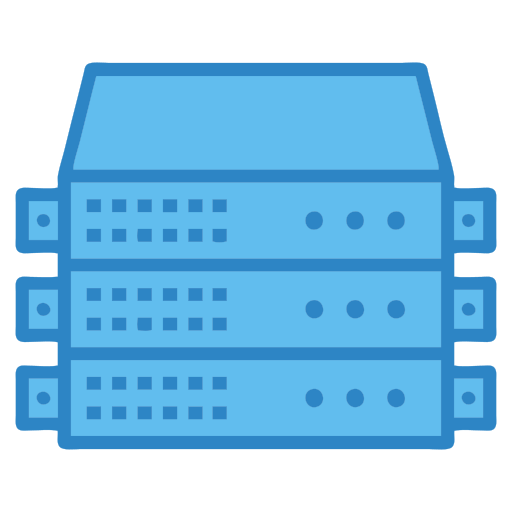
A blade server is a server designed to be installed in a standardized blade enclosure. Its horizontal, blade server chassis allows multiple systems and networking equipment to be organized in a data center or server room.
A blade enclosure is a chassis that houses multiple compatible server blades and may provide shared power, cooling, management and network fabric modules. The enclosure determines which blade models and components can be installed.
Blade servers are commonly used for virtualization, private cloud, enterprise applications, databases, high-performance computing and other workloads that benefit from dense, centrally managed compute infrastructure.
Blade servers can suit organizations that have a dedicated data center environment and need centralized infrastructure. The appropriate model depends on workload, budget, available enclosure space, power and cooling capacity.
Yes. Compatible blade servers can run hypervisors and multiple virtual machines. Processor virtualization support, memory capacity, storage performance, network interfaces and software compatibility should be considered when selecting a platform.
Many blade server models support memory and storage upgrades, subject to the platform's specifications. Check supported memory types, maximum capacity, drive bays, storage interfaces and controller compatibility before planning an upgrade.
Many blade servers support hardware or software RAID, depending on the model and storage controller. Available RAID levels and drive compatibility should be checked against performance, capacity and data protection requirements.
Check enclosure dimensions and available blade slots, rail-kit compatibility, server weight, power capacity, cooling and airflow, cable management, network ports and physical access. Confirm that the data center facility can safely support the selected hardware.
Depending on hardware support and application requirements, blade servers can run compatible Windows Server editions and Linux distributions. Verify drivers, firmware, operating system versions and application compatibility before deployment.
Submit the consultation form with your workload details, preferred blade enclosure, processor and memory requirements, storage capacity, network needs and deployment environment. The Datanet Hosting team can review your requirements and discuss a suitable blade server configuration and quotation.