




































































































EC2 instance selection and right-sizing
Each capability is planned against your instance profile, traffic pattern and operating requirements.

Deploy scalable and high-performance cloud servers with AWS EC2 and Auto Scaling. Datanet Hosting helps businesses manage compute resources, improve application availability and scale infrastructure according to workload demand.
Request a Compute Consultation
Amazon EC2 provides configurable virtual servers for applications, websites, databases and enterprise workloads. Auto Scaling helps adjust capacity based on demand and scaling policies.
Configure compute capacity around application performance, availability and scaling requirements.
Each capability is planned against your instance profile, traffic pattern and operating requirements.
Each capability is planned against your instance profile, traffic pattern and operating requirements.
Each capability is planned against your instance profile, traffic pattern and operating requirements.
Each capability is planned against your instance profile, traffic pattern and operating requirements.
The design should account for instance families, storage, networking, scaling signals, load balancing and recovery requirements.
Configure compute capacity around application performance, availability and scaling requirements.
Configure compute capacity around application performance, availability and scaling requirements.
Configure compute capacity around application performance, availability and scaling requirements.
Configure compute capacity around application performance, availability and scaling requirements.
Configure compute capacity around application performance, availability and scaling requirements.
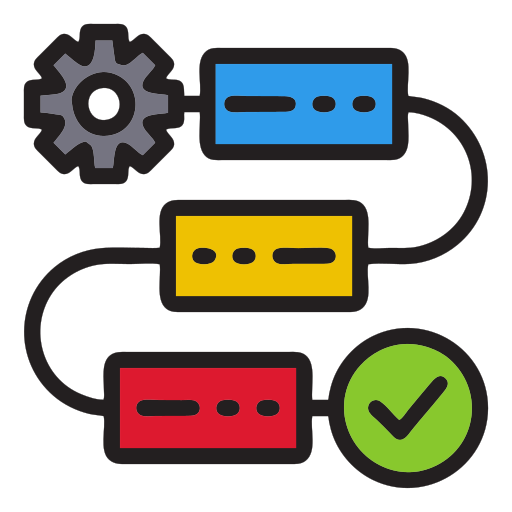
Review CPU, memory, storage, network, operating system and traffic requirements.
Select EC2 instances, configure launch templates and define scaling and load balancing policies.
Validate application health, scaling behaviour, monitoring and operational handover.
EC2 provides virtual compute capacity, while Auto Scaling helps maintain the desired number of instances as workload demand changes.
The design should account for instance families, storage, networking, scaling signals, load balancing and recovery requirements.
Each capability is planned against your instance profile, traffic pattern and operating requirements.
Each capability is planned against your instance profile, traffic pattern and operating requirements.
Each capability is planned against your instance profile, traffic pattern and operating requirements.
Each capability is planned against your instance profile, traffic pattern and operating requirements.
Each capability is planned against your instance profile, traffic pattern and operating requirements.
Configure compute capacity around application performance, availability and scaling requirements.
Compute package scope is based on instance types, operating systems, availability requirements and operational coverage. EC2, EBS and data-transfer consumption is billed separately unless agreed otherwise.
Share your compute requirements and discuss instance sizing, scaling policies and availability with our AWS team.
Configure compute capacity around application performance, availability and scaling requirements.
Each capability is planned against your instance profile, traffic pattern and operating requirements.
Each capability is planned against your instance profile, traffic pattern and operating requirements.
Each capability is planned against your instance profile, traffic pattern and operating requirements.
Each capability is planned against your instance profile, traffic pattern and operating requirements.
Each capability is planned against your instance profile, traffic pattern and operating requirements.
| Service feature | Starter | Business | Managed |
|---|---|---|---|
| Instance family and size assessment | ✓ | ✓ | ✓ |
| Launch templates and Auto Scaling groups | ✓ | ✓ | ✓ |
| Load balancer integration | — | ✓ | ✓ |
| CloudWatch alarms and health review | — | ✓ | ✓ |
| Recurring capacity and cost optimisation | — | — | ✓ |
Compute package scope is based on instance types, operating systems, availability requirements and operational coverage. EC2, EBS and data-transfer consumption is billed separately unless agreed otherwise.
Confirm EC2 instance-family availability, capacity, Availability Zone design and regional pricing before selecting the deployment region.
Use EC2 and Auto Scaling when an application needs configurable virtual machines and capacity that can respond to changing demand.
Use EC2 and Auto Scaling when an application needs configurable virtual machines and capacity that can respond to changing demand.
Use EC2 and Auto Scaling when an application needs configurable virtual machines and capacity that can respond to changing demand.
Use EC2 and Auto Scaling when an application needs configurable virtual machines and capacity that can respond to changing demand.
| Project area | Datanet Hosting | Self-managed |
|---|---|---|
| Instance sizing and architecture review | ✓ | Customer-led |
| Launch template and scaling configuration | ✓ | Customer-led |
| Load balancing and monitoring setup | ✓ | Self-configured |
| Capacity and cost review | ✓ | Customer-managed |
Amazon EC2 provides virtual servers for hosting applications, websites, databases and other compute workloads.
Auto Scaling adjusts the number of EC2 instances according to configured minimum, maximum and desired capacity settings and scaling policies.
Yes. Recommendations can be based on workload measurements, operating system, CPU and memory requirements, storage and expected traffic.
Yes. Multi-AZ deployment can improve resilience when supported by the application architecture and load balancing design.
The design should account for instance families, storage, networking, scaling signals, load balancing and recovery requirements.
Match instance family and size to measured CPU, memory and network demand.
Choose metrics, cooldown behaviour and capacity limits that reflect application demand.
Review Availability Zone placement, load balancing and instance health checks.
Plan patching, access, backup and lifecycle management for each instance.
Configure compute capacity around application performance, availability and scaling requirements.