If you've been researching Microsoft's AI assistants lately, you've probably run into a wall of confusing names: Copilot, Copilot Chat, Copilot Pro, Microsoft 365 Premium, Microsoft 365 Copilot. It's easy to see why business owners get stuck picking the wrong one or paying for capability they don't actually need.
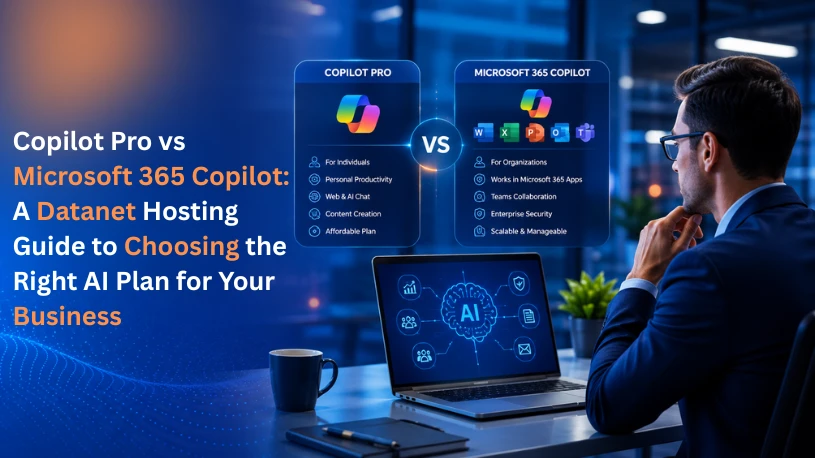
Here's the short version: Copilot Pro was built for individuals, and Microsoft 365 Copilot was built for organizations. But there's a twist in 2026 you need to know before you buy anything Copilot Pro, as a standalone plan, is being phased out. Let's break down exactly what's changed, what each option actually does, and which one makes sense for your business.
Microsoft retired the standalone Copilot Pro plan for new subscribers in late 2025. If you already, had it, you can keep using it but Microsoft has confirmed that support for existing subscriptions ends on August 1, 2026, and the plan will not renew after that.
In its place, Microsoft launched Microsoft 365 Premium (around $19.99/month), which bundles everything Copilot Pro offered priority AI access, image generation, Copilot inside desktop Word, Excel, PowerPoint, and Outlook together with the full Office desktop apps and expanded cloud storage, all in one subscription.
So, when people ask "Copilot Pro vs Microsoft 365 Copilot" today, the real comparison is between individual/personal AI plans (Copilot Pro, now folded into Microsoft 365 Premium) and Microsoft 365 Copilot, the enterprise-grade assistant built for teams. We'll cover both angles below, so you know exactly where your business fits.
This is Microsoft's AI plan for individuals’ freelancers, solo consultants, students, or "power users" who want AI baked into their personal Office apps without any organizational setup.
Copilot integrated directly into desktop Word, Excel, PowerPoint, Outlook, and OneNote
It does not connect to company data, SharePoint files, shared mailboxes, or Teams conversations
Best suited for: solo entrepreneurs, freelancers, and individual professionals who want personal AI productivity not a company-wide rollout.
Microsoft 365 Copilot is the enterprise version designed to plug directly into your organization's Microsoft 365 environment and your actual business data.
Copilot embedded in Word, Excel, PowerPoint, Outlook, Teams, and SharePoint
A qualifying base Microsoft 365 plan (Business Standard, Business Premium, E3, E5, or the newer E7 Frontier Suite)
Best suited for: small businesses up to large enterprises that want AI working across shared documents, team communication, and company knowledge not just one person's desktop. If your team is already leaning on Teams and shared workspaces for daily collaboration, this is the version of Copilot that plugs directly into that workflow.
Ask yourself these three questions:
If it's just you a founder, freelancer, or consultant managing your own files Microsoft 365 Premium (Copilot Pro's successor) is enough, and it's far cheaper.
If you want AI that can summarize a Teams meeting, draft an email referencing last quarter's report your colleague wrote, or pull context from SharePoint, you need Microsoft 365 Copilot. Personal plans simply can't access that data by design.
Any regulated business, or any company with more than a handful of employees, will eventually need admin-level control over how AI accesses data and how that data is backed up and protected in the process. That's a Microsoft 365 Copilot feature, not a personal-plan one.
Solo operator or freelancer → Microsoft 365 Premium
Small team collaborating on shared files and meetings → Microsoft 365 Copilot (SMB tier)
Microsoft 365 Copilot pricing isn't just the add-on fee it sits on top of a qualifying base plan (like Business Standard or Business Premium), so your real per-user cost is the add-on price plus your existing license. Before rolling Copilot out across your team, it's worth mapping out your current Microsoft 365 licenses, confirming which plans qualify, and checking for any active promotional pricing, since Microsoft has adjusted these rates more than once in the past year.
The Copilot Pro vs. Microsoft 365 Copilot decision really comes down to one question: are you buying AI for yourself, or for your organization? With Copilot Pro being phased out in favor of Microsoft 365 Premium, that line is clearer than ever personal AI productivity on one side, and secure, data-grounded business AI on the other.
If you're still unsure which Microsoft 365 plan and Copilot tier fits your team's size, workflows, and budget, our team at Datanet Hosting can help you map out the right licensing setup, migration path, and hosting environment to get the most out of Microsoft's AI tools without overpaying for features you won't use.
Need help choosing or deploying the right Copilot plan for your business? Get in touch with Datanet Hosting for a tailored recommendation.